728x90
반응형

전체 글 126

Grafana Alert 설정하기-2(Alert 조건 설정)

1. Datasource 선택 및 Query 작성 Reduce -> 각 인스턴스 하나하나 개별로 검토 Math -> 각 인스턴스의 결과값으로 조건 확인 A => 쿼리 B => 쿼리에서 나오는 인스턴스 각각의 결과값 C => 각 인스턴스의 결과값을 기준으로 조건 확인(사용시 $를 붙여서 사용한다) Grafana 버전이 올라가면서 각 instance마다 독립적으로 Alert을 받을 수 있다. ex) Grafana 예전 버전(쿼리 전체를 기준으로 하나의 Alert으로 작동) a,b,c,d,e instance 중 a가 alert 발생한 뒤 b가 alert 조건에 해당되도 추가적으로 alert이 오지 않음 ex) Grafana 최신 버전(각 instance가 독립적으로 Alert으로 작동) a,b,c,d,e in..

Grafana Alert 설정하기-1(telegram 연동)

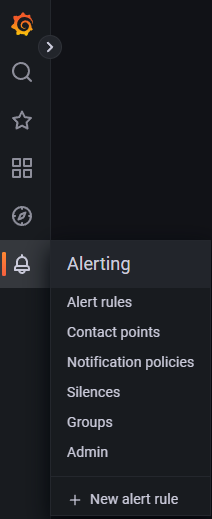
1. 종 모양 클릭 2. Alerting에서 Contact points 탭을 선택한 뒤 New contact point 선택 3. 설정 세팅 Name Contact point type => telegram BOT API Token CHAT ID 입력 저장 전 Test를 통해 telegram에 정상적으로 메시지 전송이 되는지 확인이 가능하다 위 이미지에서 Test를 누르면 아래 화면이 뜨는데 "Send test notification"을 누르면 메시지가 아래 형식처럼 날아온다. **Firing** Value: [no value] Labels: - alertname = TestAlert - instance = Grafana Annotations: - summary = Notification test Sile..

Grafana log level, log 보관 기간 수정

1. log level 수정 - 아래 ;level = info에서 주석(;)을 풀고 debug, error 등 원하는 log level을 설정한다. (기본은 info level로 설정된다) /etc/grafana/grafana.ini 파일 수정 #################################### Logging ########################## [log] # Either "console", "file", "syslog". Default is console and file # Use space to separate multiple modes, e.g. "console file" ;mode = console file # Either "trace", "debug", "info", "..

Grafana , Prometheus 연동

1. Grafana 접속 - 최초 계정 : admin/admin 2. 설정 -> Data sources 선택 3. Add data source 선택 4. Prometheus 선택 5. URL 입력 : http://prometheusip:9090 - prometheus 기본 port는 9090이고 변경도 가능하다. 6. Save & Test 선택 7. 연결 확인 - 연결이 정상적이면 아래 사진처럼 초록색 이미지와 함께 Datasource updated라고 뜸. - 비정상적이면 빨간색 이미지와 함께 연결실패라는 문구가 뜸.

Prometheus 이슈 및 troubleshooting

1. pod로 기동한 prometheus-node-exporter가 제대로 올라오지 않을 때 woeker node에 수동으로 node_exporter가 깔려 있고 pod로 node_exporter를 실행하려고 하면 에러가 발생하기도 함 2. err="open /data/queries.active: permission denied" - 아래 설정 수정 후 prometheus-server 재기동 필요 err="open /data/queries.active: permission denied" 오류 발생 prometheus-server deploy 수정필요 kubectl edit deploy prometheus-server -n prometheus #helm으로 prometheus를 설치하면 아래 처럼 기본 세..

Prometheus metric 보관 주기 변경

1. system service로 운영 중인 prometheus - 보관 주기를 설정하지 않으면 기본 보관 주기 15d로 설정된다. - metric 보관 기간을 늘리고 싶다면 --storage.tsdb.retention.time=1y를 추가해 주면 된다. vi /etc/systemd/system/prometheus.service # 또는 vi /usr/lib/systemd/system/prometheus.service # 등등 [Unit] Description=Prometheus Wants=network-online.target After=network-online.target [Service] User=prometheus Group=prometheus Type=simple ExecStart=/usr/l..

Grafana 설치

1. Grafana 설치 파일 다운로드 sudo wget https://dl.grafana.com/enterprise/release/grafana-enterprise_9.3.1_amd64.deb 2. 다운로드 받은 파일 압축 해제 sudo dpkg -i grafana-enterprise_9.3.1_amd64.deb 3. daemon-reload, 서비스 등록 ### NOT starting on installation, please execute the following statements to configure grafana to start automatically using systemd sudo /bin/systemctl daemon-reload sudo /bin/systemctl enable gra..

Prometheus Helm 설치

Helm으로 간단하게 Prometheus 설치가 가능하다. 1. Helm 설치 #Helm 설치 sudo snap install helm --classic helm version #저장소 등록 helm repo add prometheus-community https://prometheus-community.github.io/helm-charts #저장소 복사 git clone https://github.com/prometheus-community/helm-charts 2. Prometheus 설치 #해당 파일 경로로 이동 cd helm-charts/charts/prometheus #namespace 생성 kubectl create namespace prometheus #helm으로 prometheus 설치..

Windows exporter 설치 옵션

1. 설치파일 다운로드https://github.com/prometheus-community/windows_exporter/releases 접속 후 다운로드그냥 설치를 하려면 아래 링크를 보고 설치 https://babbeolicoding.tistory.com/17 Windows exporter 설치1. 설치파일 다운로드 아래 링크로 접속 후 환경에 맞는 버전을 다운로드 https://github.com/prometheus-community/windows_exporter/releases 2. 다운로드 받은 파일 설치 진행 3. 서비스 확인 - windows_exporter라는 이babbeolicoding.tistory.com 하지만 아래 사이트를 보면 추가적으로 metrics을 수집하기 위해 옵션을 줘야..

728x90
반응형