728x90
반응형

분류 전체보기 126

Pod Resource 관리(cpu, mem limits)

resources 요청 및 제한 적용 - requests: 처음 pod를 실행할 때 필요한 최소 자원 - limits : cpu, mem 등의 제한 사용량 아래 코드를 보면 pod가 실행될때의 최소 사용량은 request이고 최대 사용량은 limits다. resources: requests: memory: "10Mi" cpu: "10m" limits: memory: "50Mi" cpu: "50m" 그럼 limits을 설정하고 그 이상 자원을 사용하면 어떻게 되는지 확인해 보자. 1. CPU limit을 사용하는 경우 - limits 조건 : request : 10m // limit : 50m resources: requests: cpu: "10m" limits: cpu: "50m" 아무리 부하를 줘도 C..

Kubernetes 2023.05.22

Grafana Alert 설정하기-3(Alert 분기처리)

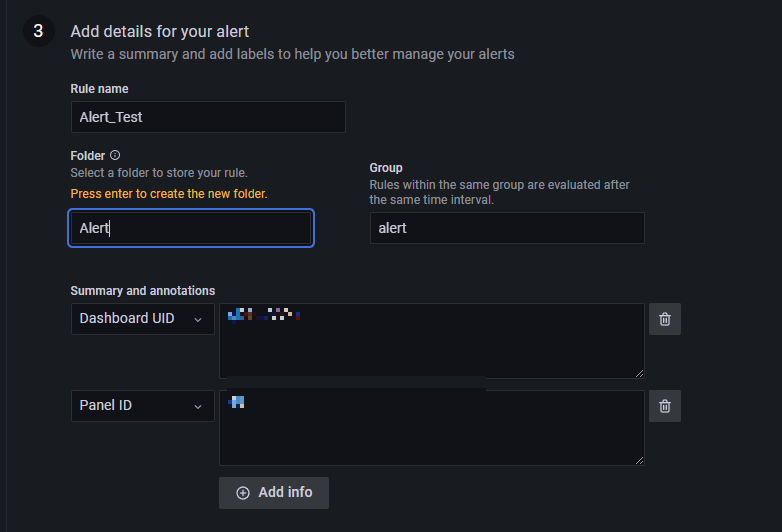
Grafana로 Alert을 보낼 때 분기처리가 가능하다.(참고로 grafana 9 버전 기준) 예를 들어 설명하자면 아래와 같다. A조건 => telegram으로 전송 B조건 => email으로 전송 C조건 => slack으로 전송 분기처리를 위해 Alert을 만들때 Folder명이나 Labels의 key와 Value를 통해 구분이 가능하다. 우선 분기처리 전 정책을 생성해야 하는데 Notification policies > New specific policy에서 추가하면 된다. 아래 이미지처럼 세팅해서 사용가능하다. grafana_folder가 groupA일때는 test라는 Contact point로 알림을 grafana_folder가 groupB인 경우는 test2라는 Contact point로 알..

Elasticsearch index restore (부분, 전체 복원 방법)

1. 서버에서 curl 명령어를 통해 복원하기 #전체 복구하기 curl --user '{user}:{password}' --header "content-type: application/JSON" -XPOST 'localhost:9200/_snapshot/{snapshot_name}/{backup_key}/_restore?wait_for_completion=true' #인덱스 지정 복구하기 curl --user '{user}:{password}' --header "content-type: application/JSON" -XPOST 'localhost:9200/_snapshot/{snapshot_name}/{backup_key}/{index_name}/_restore?wait_for_completion=t..

Elasticsearch 2023.05.18

Elasticsearch index backup(NCP Storage 기준)

AWS S3를 통해 elasticsearch index를 백업받는 부분은 아래 링크를 참고하시길 바란다. https://babbeolicoding.tistory.com/33 Elasticsearch index backup(AWS S3 사용) 1. Elasticsearch config 수정 - jvm.options - elasticsearch.yml 각 config 위치에 아래 값 추가 - vim config/jvm.options => Des.allow_insecure_settings=true - vim config/elasticsearch.yml => network.host: 0.0.0.0 2. S3 플러그인 설치(elasticse babbeolicoding.tistory.com ​ AWS 뿐 아니라 N..

Elasticsearch 2023.05.17

Elasticsearch index backup(AWS S3 사용)

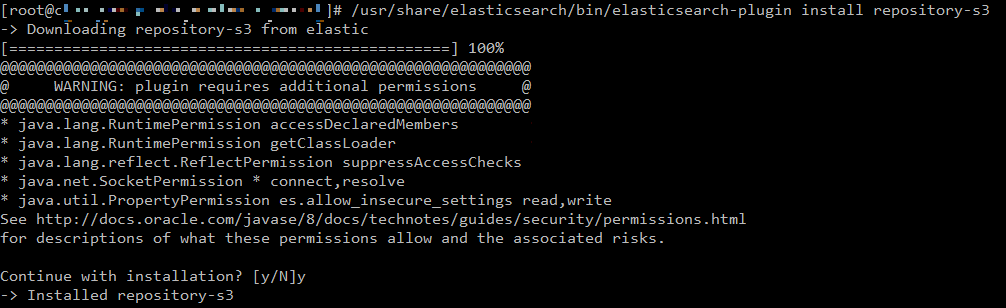
1. Elasticsearch config 수정 - jvm.options - elasticsearch.yml 각 config 위치에 아래 값 추가 - vim config/jvm.options => Des.allow_insecure_settings=true - vim config/elasticsearch.yml => network.host: 0.0.0.0 2. S3 플러그인 설치(elasticsearch 재시작 필요) #elasticbsearch 설치된 경로에서 실행 /usr/share/elasticsearch/bin/elasticsearch-plugin install repository-s3 #elasticsearch s3 플러그인 삭제 /usr/share/elasticsearch/bin/elastics..

Elasticsearch 2023.05.16

ELK 구성하기-4(kibana 설치 및 elasticsearch 연동)

1. 설치파일 다운로드 sudo wget https://artifacts.elastic.co/downloads/kibana/kibana-7.12.0-amd64.deb 2. 압축해제 sudo dpkg -i kibana-7.12.0-amd64.deb 3. yml 파일 수정 sudo vi /etc/kibana/kibana.yml 외부 접속 허용 : server.host: "localhost" -> server.host: "0.0.0.0" elasticsearch.hosts 주석(#) 해제 및 host ip : port 입력 elasticsearch.username : 설정한ID elasticsearch.password : 설정한PW 4. 서비스 실행 및 상태 확인 service kibana start syst..

ELK 구성하기 2023.05.15

ELK 구성하기-3(Logstash, Filebeat 설치 및 elasticsearch 연동)

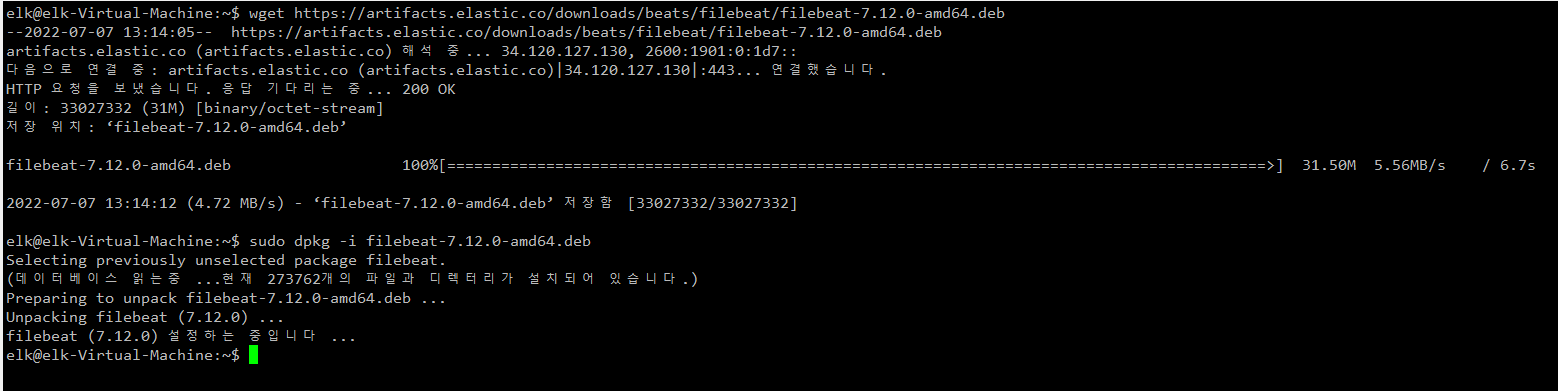
1. filebeat 설치 sudo wget https://artifacts.elastic.co/downloads/beats/filebeat/filebeat-7.12.0-amd64.deb sudo dpkg -i filebeat-7.12.0-amd64.deb 2. yml 수정 /etc/filebeat/filebeat.yml 연동할 서비스 선택 (elasticsearch, logstash 등) 이번 포스팅은 filebeat와 logstash를 연결하기 때문에 logstash 부분 주석 해제함 filebeat.inputs에서 사용할 type부분 enabled: true처리 3. filebeat 실행 sudo service filebeat start systemctl status filebeat 4. logst..

ELK 구성하기 2023.05.13

ELK 구성하기-2(Elasticsearch xpack 구성)

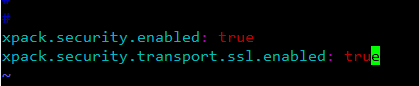
1. yml파일 수정 /etc/elasticsearch/elasticsearch.yml xpack.security.enabled: true xpack.security.transport.ssl.enabled: true 입력 2. 서비스 재기동 systemctl restart elasticsearch systemctl status elasticsearch 3. 패스워드 설정 /usr/share/elasticsearch/bin/elasticsearch-setup-passwords interactive 위 명령어 입력 후 나오는 각 계정의 pw를 입력하면 된다 4, xpack 적용 확인 xpack 적용 후 인증없이 아래 명령어를 날려보면 오류가 발생한다. curl localhost:9200?pretty 인증정보..

ELK 구성하기 2023.05.12

ELK 구성하기-1(Elasticsearch 설치)

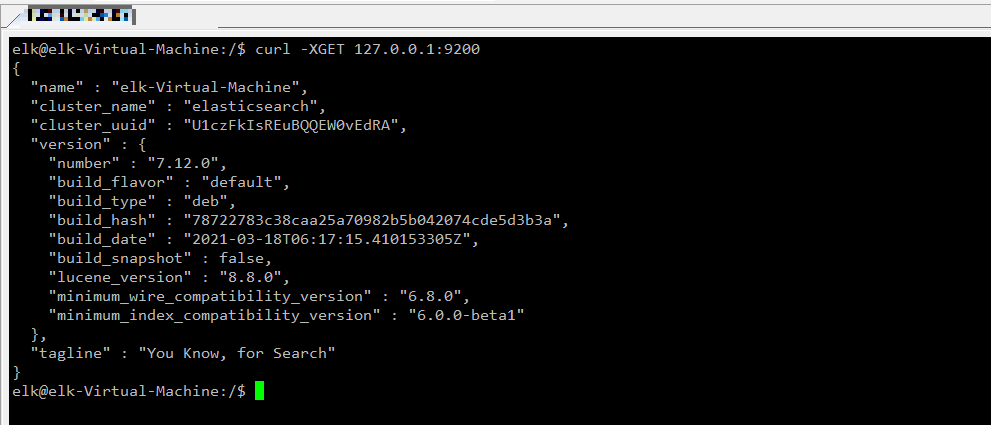
1. 설치파일 다운로드 (7.12.0 기준) sudo wget https://artifacts.elastic.co/downloads/elasticsearch/elasticsearch-7.12.0-amd64.deb 2. 압축해제 sudo dpkg -i elasticsearch-7.12.0-amd64.deb 3. 생성된 경로 확인 /usr/share/elasticsearch /etc/elasticsearch /etc/init.d/elasticsearch 4. 서비스 시작 및 상태 확인 service elasticsearch start systemctl status elasticsearch.service 5. elasticsearch 서비스 확인 netstat -an | grep 9200 curl -XGET ..

ELK 구성하기 2023.05.11

Grafana Alert 템플릿 커스텀 및 사용하기

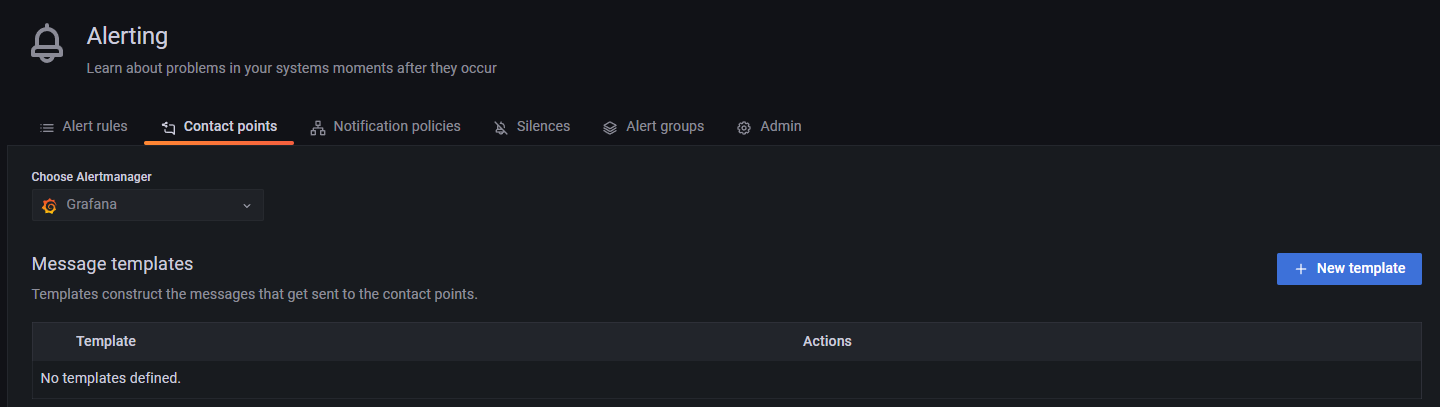
우선 Template을 등록하는 방법은 아래와 같다. 1. Alerting에서 Contact points 탭을 선택 후 "New template"을 선택 2. Template 이름 입력 및 Content를 작성 3. Template Data에 마우스를 가져가면 아래처럼 팝업이 뜨는데 참고해서 작성 이번에는 Template을 사용하는 방법에 대해서 알아보자 우선 telegram을 연동하고 test 알림을 보내면 기본적으로 아래 형태로 메시지가 온다. **Firing** Value: [no value] Labels: - alertname = TestAlert - instance = Grafana Annotations: - summary = Notification test Silence: http://loca..

728x90
반응형