728x90
반응형

kibana 5

kibana Alerts and Actions 기능 사용하기 - 1

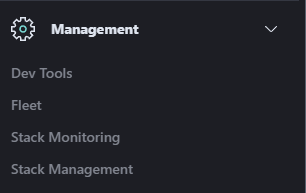
Alerts and Actions이란 특정 조건에 해당되는 경우 알림 메시지를 보내는 기능이다. Management > Stack Management를 클릭하면 Alerts and Insights > Alerts and Actions라는 부분이 있다. (elastic 공식 홈페이지를 보면 kibana v7.7부터 해당 기능이 보인다. 그 이하 버전은 아예 기능이 없는 것 같다 kibana v7.5를 깔아봤는데 아예 "Alerts and Insights" 부분이 없었다.) https://www.elastic.co/guide/en/kibana/7.7/alerting-getting-started.html 하지만 해당 부분을 처음 클릭하면 아래와 같은 메시지가 떠있을 것이다. 해결 방법은 간단하다. kibana..
Kibana 2023.07.19

Kibana index lifecycle 적용

lifecycle에 대해서 간단하게 설명을 하자면 특정 조건(기간, 용량)에 해당되면 index를 분할하거나 특정기간에 해당되면 삭제하는 기능이 있다. 물론 분할 + 삭제 같이 사용도 가능하다. 이번 포스팅은 분할(rollover)보단 삭제를 중점적으로 진행했다. 이미 index가 생성된 상태에서 정책을 새로 만들면 index 설정을 수정하는 추가 작업이 필요하고 정책 적용 후 생기는 index는 추가 작업이 필요 없다. 1. 정책생성 - index Lifecycle Polices 선택 2. Create policy 선택 - 내용 입력 Hot, Warn, cold phase가 있는데 쉽게 생각하면 빈도가 높은 index일수록 온도가 뜨겁다고 생각하면 된다. 보통 자주 쓰는 Hot phase에 rollov..

Kibana 2023.06.29

this action would add [1] total shards, but this cluster currently has [1000]/[1000] maximum shards open

보통 kibana에서 elasticsearch 로그를 가져와서 화면에 보여주곤 한다. 갑자기 kibana에서 특정 index 값이 나오지 않는다면 elastic 서버에 접속해서 로그를 확인해 보면 아래 오류 메시지가 발생하는 경우가 있다, 오류내용 this action would add [1] total shards, but this cluster currently has [1000]/[1000] maximum shards open 해당 내용은 elasticsearch에서 사용하는 shard max값이 1000개인데 현재 shard를 다 사용했다는 뜻이다. 해결 방법은 간단하다. shard의 갯수를 늘려주면 된다. Trouble Shooting 방법 #현재 shard 확인 curl --user '{id}..

Elasticsearch 2023.06.22

Elasticsearch index restore (부분, 전체 복원 방법)

1. 서버에서 curl 명령어를 통해 복원하기 #전체 복구하기 curl --user '{user}:{password}' --header "content-type: application/JSON" -XPOST 'localhost:9200/_snapshot/{snapshot_name}/{backup_key}/_restore?wait_for_completion=true' #인덱스 지정 복구하기 curl --user '{user}:{password}' --header "content-type: application/JSON" -XPOST 'localhost:9200/_snapshot/{snapshot_name}/{backup_key}/{index_name}/_restore?wait_for_completion=t..

Elasticsearch 2023.05.18

ELK 구성하기-4(kibana 설치 및 elasticsearch 연동)

1. 설치파일 다운로드 sudo wget https://artifacts.elastic.co/downloads/kibana/kibana-7.12.0-amd64.deb 2. 압축해제 sudo dpkg -i kibana-7.12.0-amd64.deb 3. yml 파일 수정 sudo vi /etc/kibana/kibana.yml 외부 접속 허용 : server.host: "localhost" -> server.host: "0.0.0.0" elasticsearch.hosts 주석(#) 해제 및 host ip : port 입력 elasticsearch.username : 설정한ID elasticsearch.password : 설정한PW 4. 서비스 실행 및 상태 확인 service kibana start syst..

ELK 구성하기 2023.05.15
728x90
반응형